Running a search
After selecting the Data Set, AOI, and Date Range, user can press the Search button to perform a search based on the specified criteria.
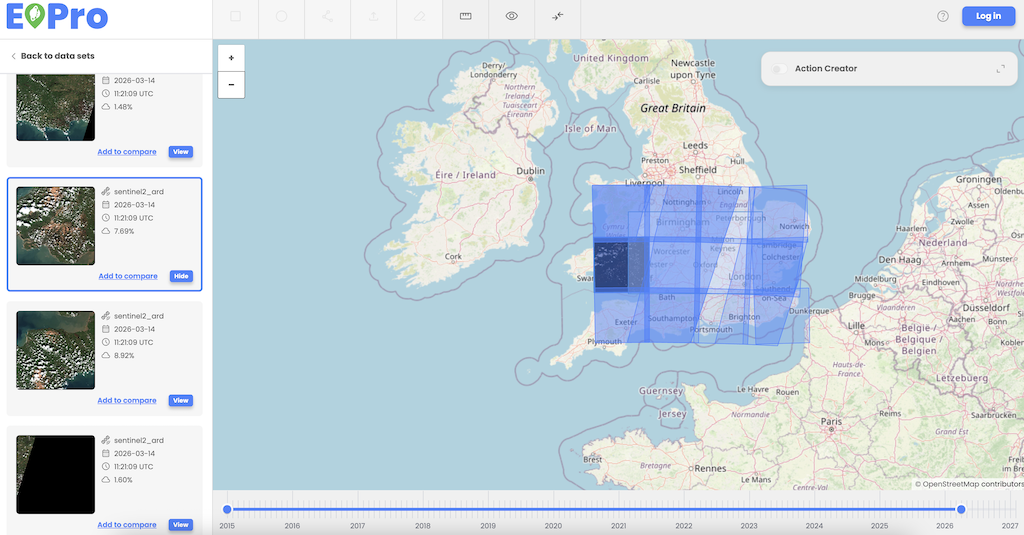
- Search results are displayed as items/thumbnails listed in the left-side menu.
- The list of items corresponds to the specified time range.
- Each item intersects with the AOI drawn by the user.
- Each item corresponds to the dataset(s) selected by the user.
- Each item is described by the following properties:
- Data set
- Date
- Time (UTC)
- Cloud coverage